XiaoVocals · Vocal plugin
VocalPulse
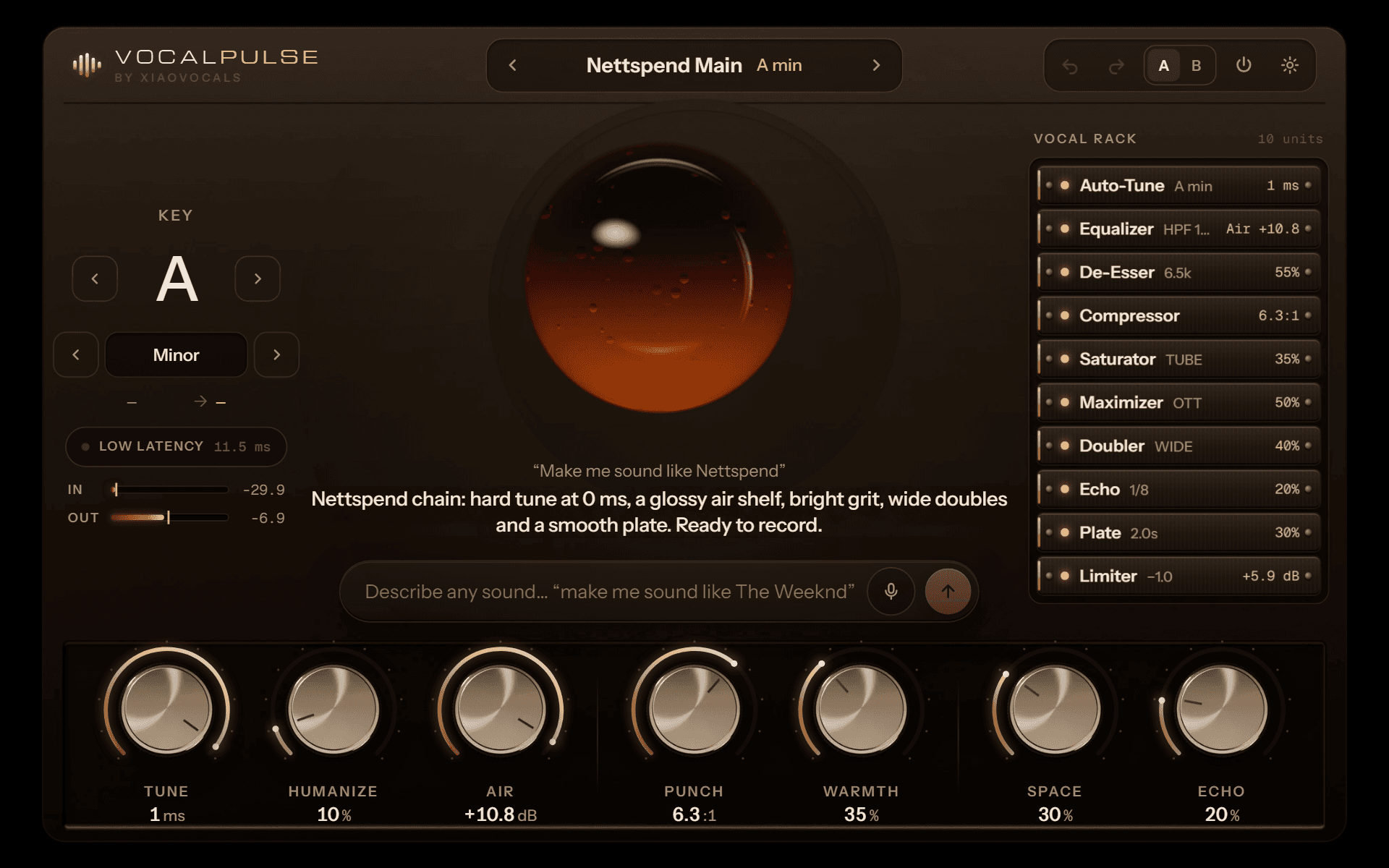
Describe the sound. Get the chain.
Choose an artist or describe your sound. VocalPulse brings tuning, tone and effects together in one vocal chain. Adjust every detail to make it yours.
Windows + macOS · VST3 · AU · Standalone · One-time payment
How it works
From an idea to a finished chain in seconds
- 01
Describe it
Type or hold the mic and say it: “make me sound like Nettspend”, “Travis in F# minor”, “darker, less reverb”.
- 02
Watch it build
Tuning, EQ, compression and effects are set together for the sound you describe.
- 03
Make it yours
Seven main knobs, A/B, undo and bypass on every module. Save the result as your own preset.
Inside the rack
Eleven studio modules. One plugin.
Every module is built for vocals and runs inside VocalPulse. No third-party plugins needed.
Auto-Tune
Real-time pitch correction in 13 scales, from natural to hard 0 ms.
Equalizer
Low and high cut, mud and nasal control, presence and air.
De-Esser
Split-band sibilance control that keeps the top end bright.
Compressor
Two-stage compression with a slow leveler for even vocals.
Saturator
Tube warmth and grit, oversampled for a clean top end.
Maximizer
Three-band upward and downward compression for that loud, bright modern sound.
Doubler
Wide stereo doubles without phase problems in mono.
Flanger
Stereo jet sweeps, from subtle movement to a psychedelic vocal texture.
Echo
Tempo-synced delay that ducks under the dry vocal.
Reverb
Dense studio reverb from short rooms to long halls.
Limiter
True-peak limiter with lookahead. Nothing clips.
Factory presets
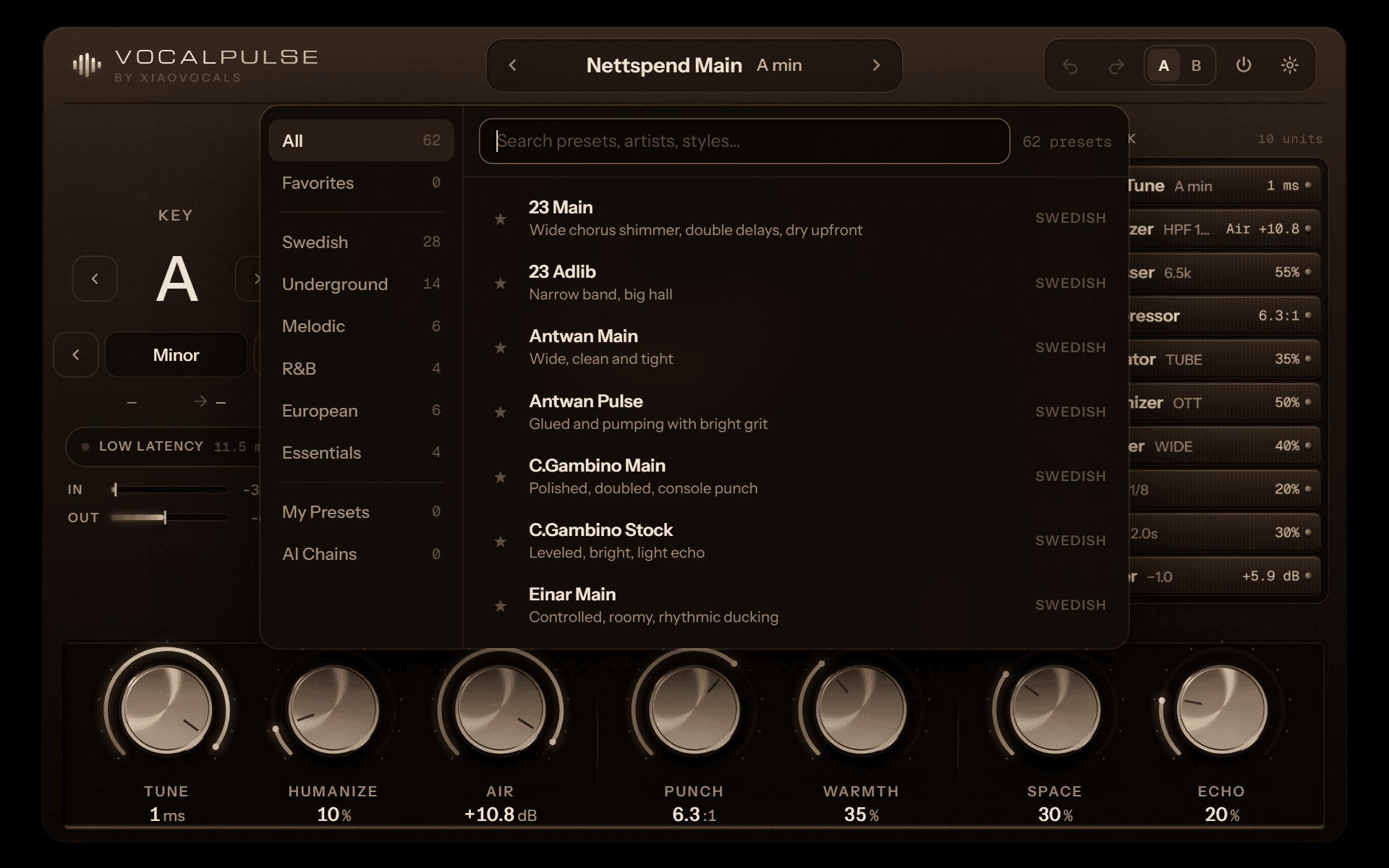
62 presets from the XiaoVocals catalog
Swedish, Underground, Melodic, R&B, European and Essentials. Built from the same chains as our best-selling presets. Search, star favorites and save your own.
Sweden
Swedish edition
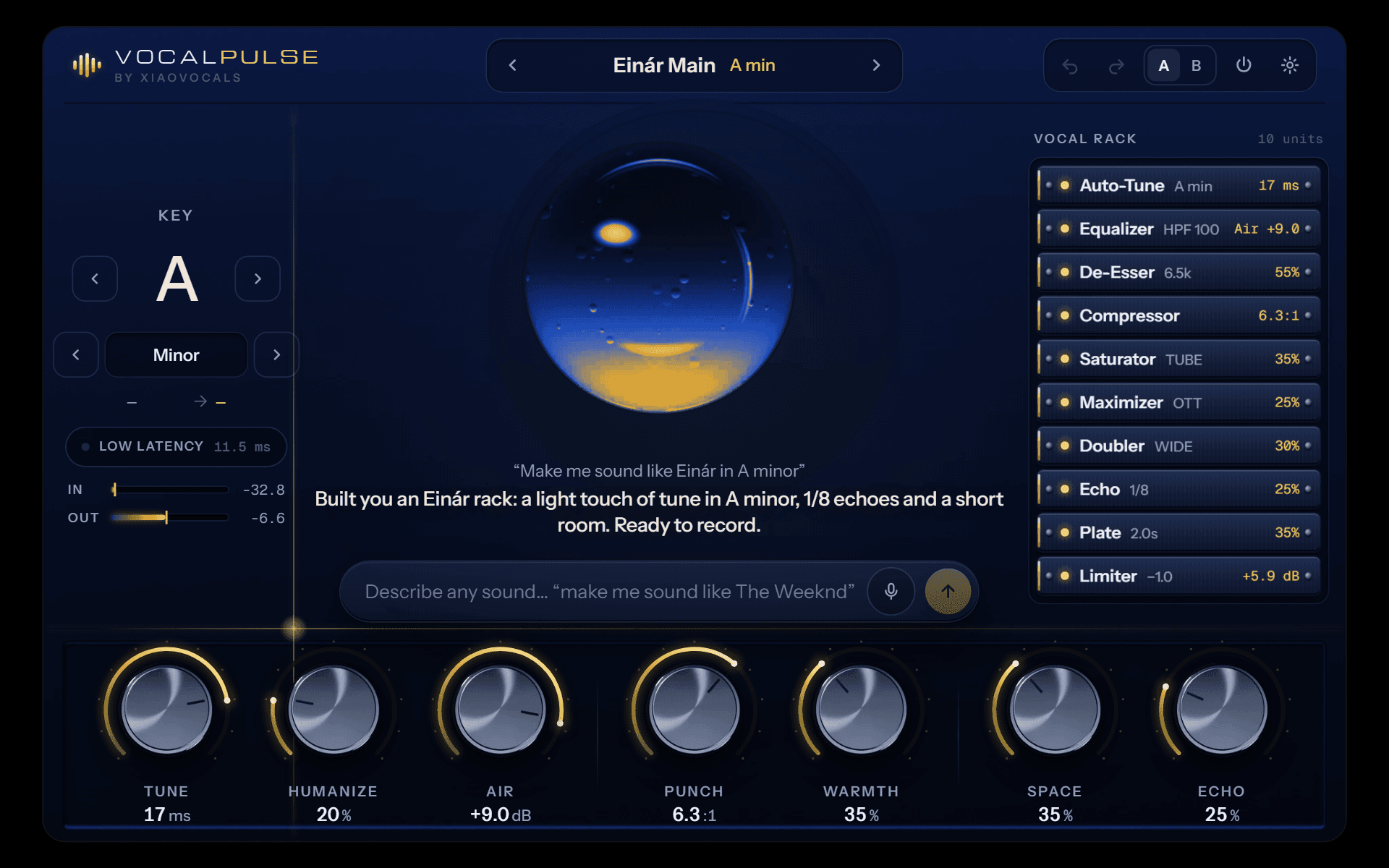
Load a Swedish preset or ask for a Swedish artist and VocalPulse turns blue and gold.
Specs
Made for real sessions
- Formats
- VST3 · AU · Standalone
- Systems
- Windows 10/11 (64-bit) · macOS 11+ (Apple Silicon and Intel)
- DAWs
- FL Studio, Ableton Live, Logic Pro, Cubase, Studio One, Reaper and more
- Latency
- About 12 ms · 5 ms in Low Latency mode for recording
- Push-to-talk
- Speech recognition runs on your computer
- Assistant voice
- English and Swedish · internet required for AI replies and character speech
- Updates
- Free updates for VocalPulse 1.x
Pricing
One price. Everything included.
VocalPulse
One-time payment
$49
- All eleven modules and the chat assistant
- Before/After comparison + five skins
- English and Swedish character voice
- Underground theme with syrup, glitch and interface sounds
- 62 factory presets + your own
- Windows + Mac, VST3 · AU · Standalone
- Free 1.x updates
- No activation or license key required
Already bought it? Access my downloads
Install
Up and running in three steps
- 01
Download
Open your downloads and verify your purchase with your email and order number. Choose Windows or Mac.
- 02
Install and rescan
Run the installer, then rescan plugins in your DAW. In Logic: Audio Units → XiaoVocals → VocalPulse.
- 03
Create
Open VocalPulse on your vocal track. Choose a preset or describe your sound. No activation or license key is required.
The Mac installer is not yet Apple-notarized. macOS may block it; follow Apple’s instructions in System Settings → Privacy & Security to review an app you trust. Windows may show a SmartScreen publisher warning.
Questions
For the AI assistant, character speech, installer download and first speech-model download for push-to-talk. Presets, effects and the built-in chain builder work without a connection.
Artist names describe a sound style only and imply no affiliation or endorsement.